RAW POTENTIAL IS NOT PERFORMANCE. I FORGE LETHAL MACHINES.
From entry-level setups to enthusiast platforms. Without the surgical configuration of BIOS, drivers, and thermal architecture, your hardware suffers from throttling. On my workbench, there is no choice between "pretty" or "fast". I extract 100% of both.
> Stuttering eliminated. Flat frametime: 6.9ms.
THERE IS NO CHOICE BETWEEN BEAUTY AND SPEED.
Most repair shops focus only on plugging in cables and installing Windows. On my workbench, the assembly and optimization of a setup follow three non-negotiable engineering pillars to extract 100% from the silicon.
PERFORMANCE & TUNING
Factory standard hardware comes throttled by generic safety margins. We rewrite these rules in the BIOS.
- > CPU/GPU Undervolting (Less heat, more Clock)
- > RAM Timings Fine-tuning (Latency Reduction)
- > OS Debloat (Zero useless processes)
- > 1% Low FPS optimization for competitive gaming
THERMAL ARCHITECTURE
Disorganized cables destroy airflow and cook your parts. Cable management here is military-grade.
- > Clean Cable Management (Isolated paths)
- > Balanced Positive/Negative Air Pressure
- > Customized Fan Curves via software
- > Application of Premium Thermal Pastes and Liquid Metal
RELENTLESS AESTHETICS
A high-end PC should look like a feat of engineering, not a runaway Christmas tree.
- > Centralized and unified ARGB synchronization
- > Total concealment of front connections and flat cables
- > Millimetric alignment of tubes (Watercoolers)
- > Visual cohesion: The beautiful that doesn't sacrifice the fast
YOUR HARDWARE IS
CRYING FOR HELP.
There's no point in having the most expensive graphics card on the market if your system architecture is wasting its potential. Identify in the logs which of these three phenomena is destroying your in-game performance.
THERMAL THROTTLING
[ CRITICAL ]The setup starts off flying, but after 15 minutes of gameplay or heavy rendering, the FPS plummets and the fans sound like turbines.
MICRO-STUTTERING
[ WARNING ]Your average FPS is 200+, but the game has absurd stutters and millisecond freezes right during combat.
BOTTLENECK
[ WARNING ]You invested in a top-tier GPU, but it never exceeds 60% usage in-game, while the processor is struggling locked at 100%.
THE REAL PROOF OF
PERFORMANCE GAIN.
Data gathered in stress test (Cinebench + Cyberpunk 2077).
Test Platform: AMD Ryzen 7 5700X3D | NVIDIA RTX 4070 Ti | 32GB DDR4 3600MHz CL14
Standard Config / Stock Paste
Delid + Liquid Metal + BIOS Tuning
ENGINEERING CONCLUSION:
The Ryzen 7 5700X3D has an aggressive TDP that, on stock, causes spikes of 95°C, dropping the clock to 3.4GHz. With Undervolting (PBO2 Tuner) and thermal swap to Liquid Metal, we stabilized at a constant 4.1GHz at 65°C. The result on the RTX 4070 Ti was a 37% gain in average Frametime, completely eliminating bottlenecks at 1440p Ultra.
ACTIVE ENGINEERING
PROTOCOLS.
Surgical interventions planned to eliminate bottlenecks and extend the lifespan of your hardware. Hover to expand the documentation for each service.
THERMAL ENGINEERING & DELID
Absolute temperature and noise control.
BIOS TUNING & UNDERVOLTING
Logical optimization and silicon stability.
ASSEMBLY & CABLE MANAGEMENT
Physical architecture and showcase aesthetics.
INTEGRITY AND WARRANTY PROTOCOL
We understand the value of your investment. Therefore, we adopt a policy of Conscious Intervention: procedures that involve opening sealed components or physical modifications (like Delid or Repad) are only suggested if the technical diagnosis proves a critical need.
IMPORTANT: No physical alteration or breaking of manufacturer seals is performed without a prior report and the formal written authorization of the client. Your warranty is respected, and your decision is sovereign.
ENGINEERING IN PRACTICE
Discover the architecture and practical results of the machines that went through optimization and advanced assembly in the laboratory.
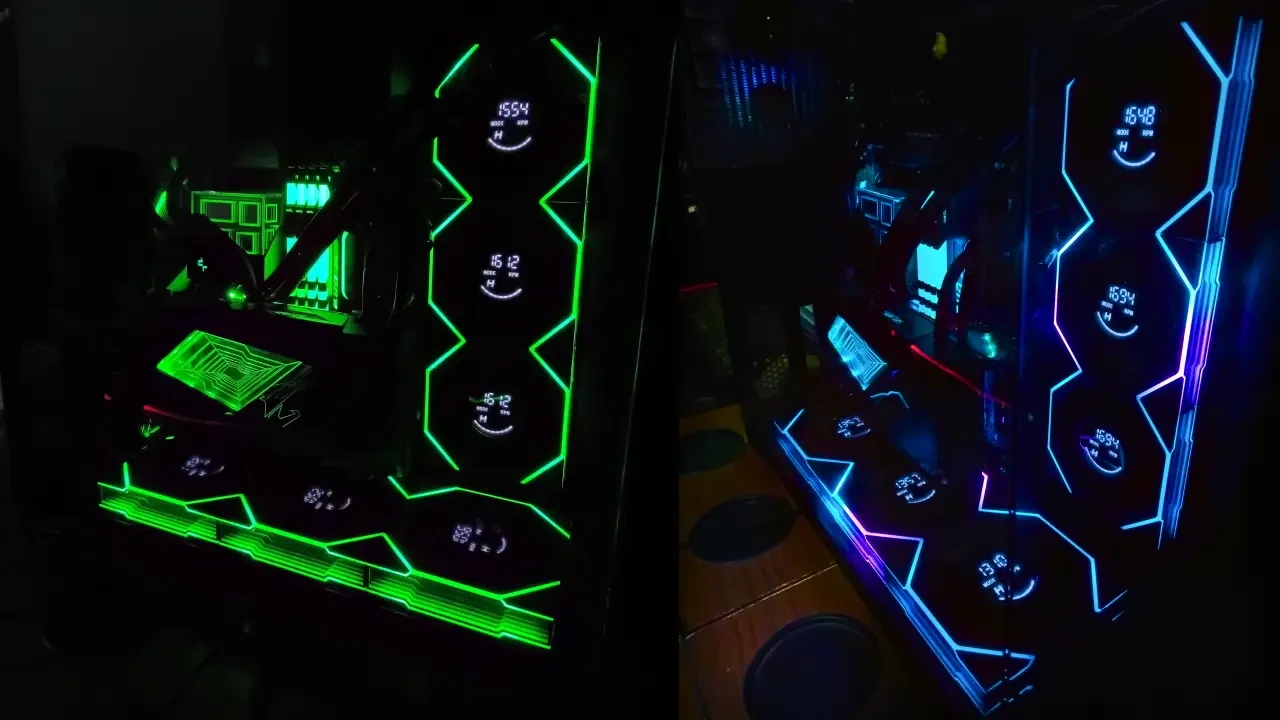 [ VALIDATED IN-LAB ]
 My main machine and testing laboratory. Equipped with a Ryzen 9 5900XT and a massive AORUS RTX 3090. The absolute focus here is airflow architecture and high-resolution thermal stress testing. Every cable was routed with millimeter precision to ensure zero obstruction in core cooling, and all BIOS and hardware software features were utilized for maximum performance, thermal balance, and stability.
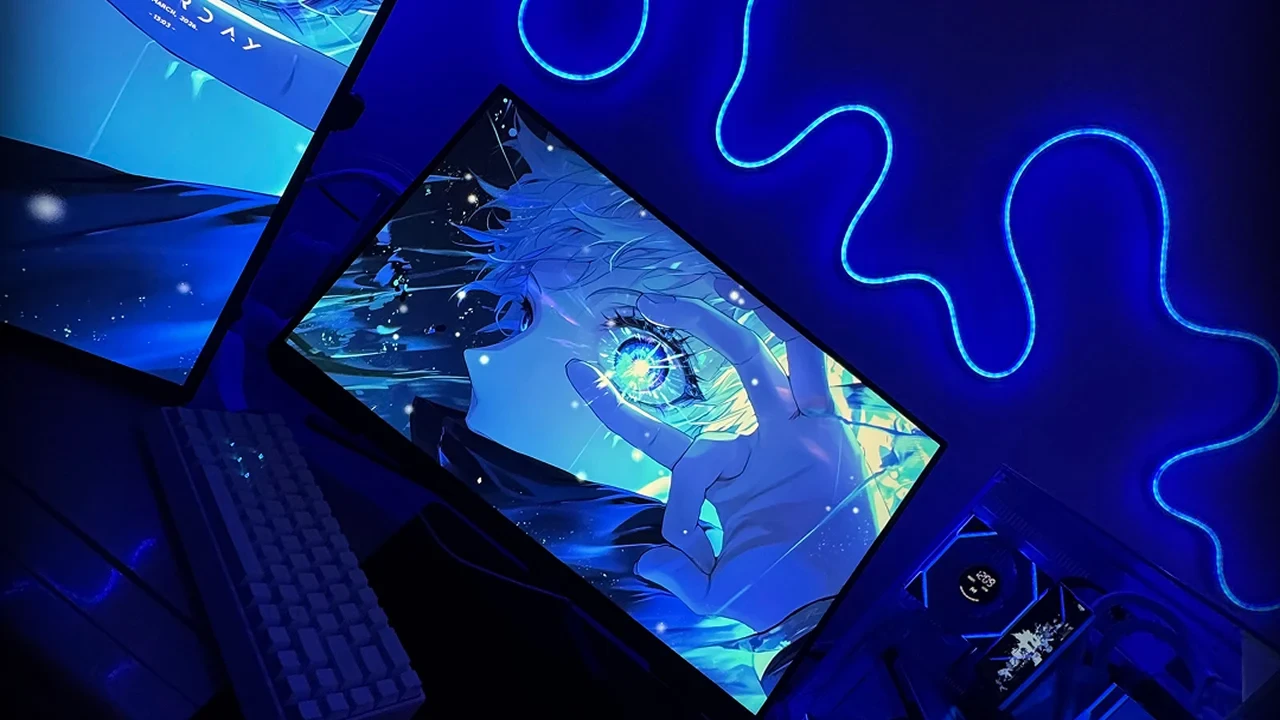 [ VALIDATED IN-LAB ]
 A true case of hardware rescue. The client arrived with chronic instability issues that other technicians couldn't diagnose. I redid the entire BIOS configuration, OS installation, and setup, isolated the fault, and optimized the system from scratch. In addition to restored performance, I carried out a rigorous aesthetic adaptation, overcoming the severe physical limitations of the motherboard the client had originally chosen.
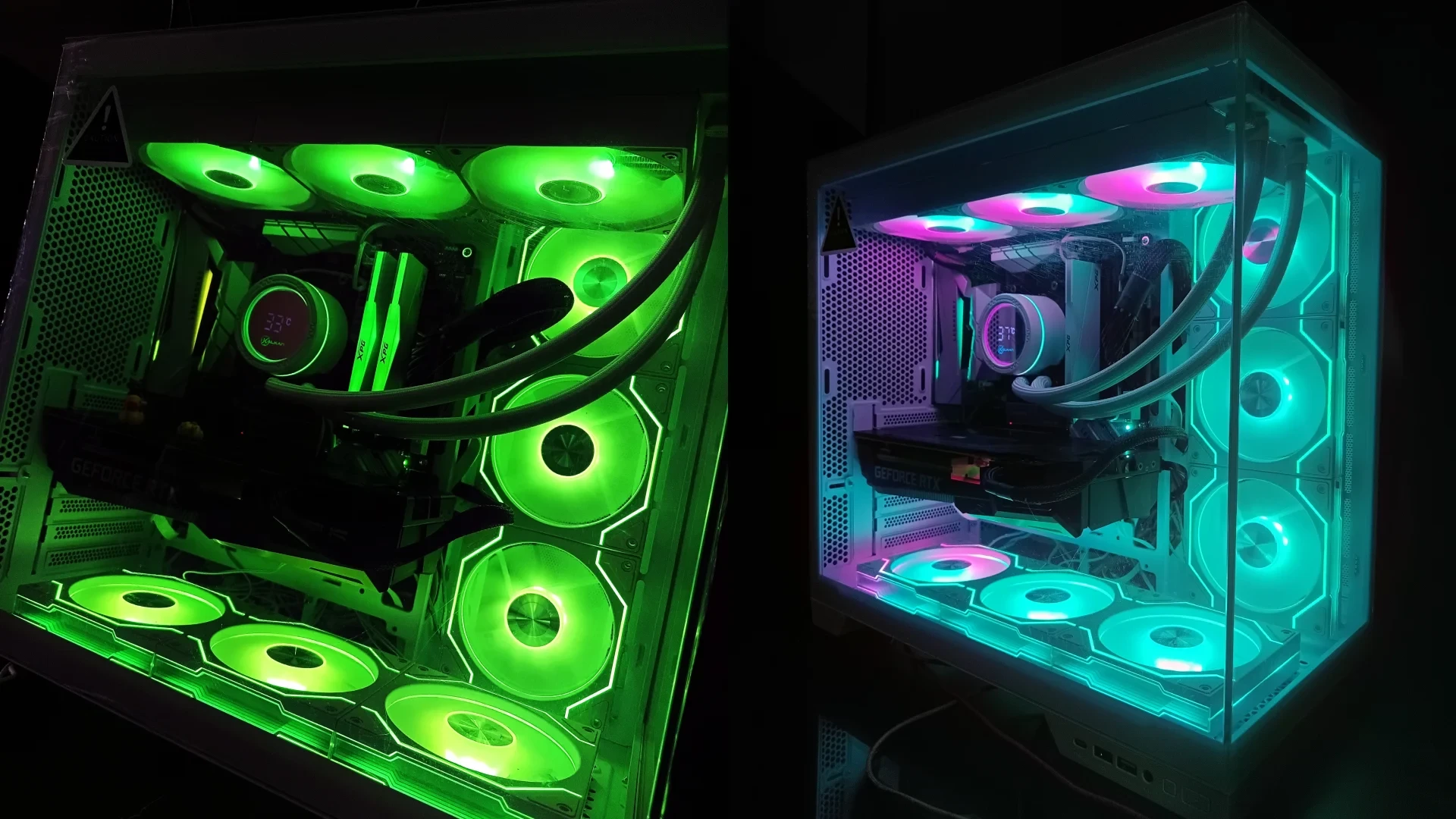 [ VALIDATED IN-LAB ]
 Proof that hardware engineering can go hand in hand with minimalist aesthetics. A build 100% focused on visual harmony and the "Semi-White" theme, powered by an ASUS RTX 3060TI. The challenge overcome was maintaining cool and silent performance without sacrificing RGB aesthetics (Good motherboard but terrible to deal with RGB).
INVESTMENT MATRIX
Precision engineering doesn't work with generic solutions. Our fees reflect the complexity of the diagnosis, the hardware's thermal load, and the depth of the laboratory intervention.
LOGICAL PROTOCOL
> REMOTE ACCESS / PARSEC
- > BIOS optimization and XMP/EXPO profiles
- > Resizable BAR (ReBar) activation
- > Surgical Windows debloat and Telemetry removal
- > Fan curve tuning and light Undervolt
BASIC INTERVENTION
> BENCH / LABORATORY
// Varies depending on case architecture.
- > Deep chemical sanitization against oxidation
- > Repaste with high-conductivity thermal compound
- > Invisible and orthogonal Cable Management
- > Includes all TIER_01 optimizations
EXTREME RECONSTRUCTION
> BENCH / 3D PROJECT
// Requires architecture approval.
- > Complete scratch build (Sealed parts)
- > Custom Loops and complex thermal architecture
- > Prolonged stress tests (Benchmarking)
- > Severe interventions (Delid, Liquid Metal)
INSTITUTIONAL SECURITY AND ANTI-FRAUD DIRECTIVE
Task Revolution operates under strict data and financial security protocols. All technical guidelines, budget approvals, and invoicing are formalized solely and exclusively through our authenticated channel.
// Any attempt to collect or send invoices from unverified social networks or third-party emails must be ignored. We do not accept media without the terminal-generated manifest.
LOGISTICS &
FREQUENTLY ASKED QUESTIONS.
Understand the transport flow, deadlines, and the laboratory's ethical conduct for the handling and full protection of your investment.
NATIONAL SHIPPING PROTOCOL
We receive and dispatch high-performance hardware to any region of the country via approved carriers with full insurance against loss or damage.
GPU Removal: The graphics card is shipped unseated from the PCIe slot in a separate anti-static package to prevent structural breaks.
Internal Padding: The inside of the case is filled with specific air cushions to lock radiators and hoses in place.
How does secure computer shipping work?
Does thermal intervention or Delid void the manufacturer's warranty?
What is the average time the machine stays on the workbench?
Does the lab install cracked games or modified systems (Pirated)?
OPTIMIZATION TERMINAL
Configure your hardware guidelines below. The system will compile the technical manifest and open a direct channel with the bench to evaluate your setup.
> INITIALIZING TECHNICAL COMPILATION...
ANALYZING DEMAND SCOPE...
Validate the metrics. Select the transmission channel for engineering.